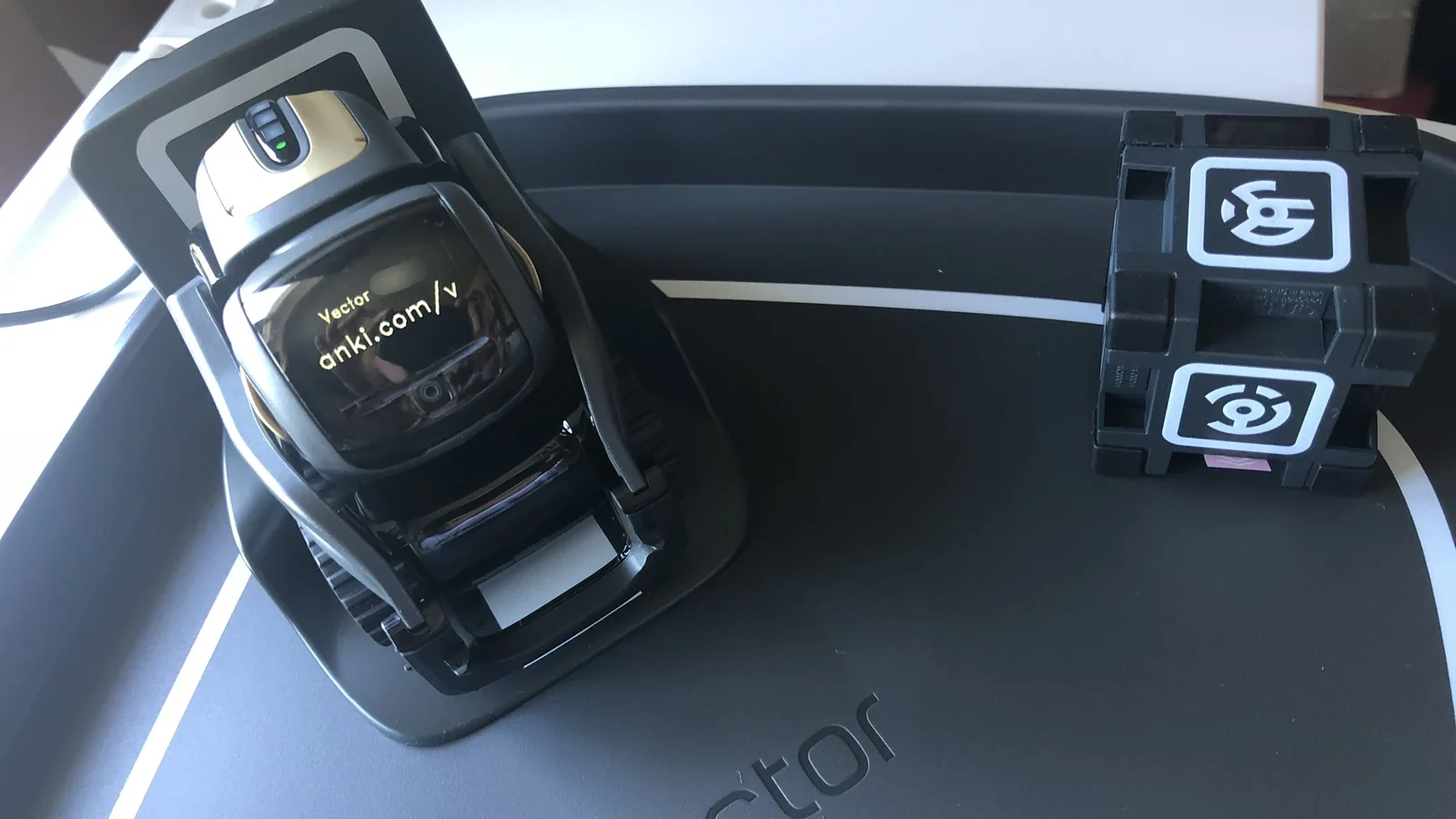
I bought an Anki Vector because I genuinely liked the little robot. After Anki’s original cloud service closed, I kept him useful through WirePod. Eventually I wanted to go further: when the Hue motion sensor in my office detected someone arriving after the room had been empty, Home Assistant would ask Vector to look around, recognise the visitor and send me a photograph if necessary.
The final system is called VectorBridge. It works, but not in quite the way I first imagined. The useful story is not simply how to connect a webhook. It is how old robot software, motion timing, stale connections, camera frames and physical docking changed the design.
This article describes my own installation. Keep robot certificates, serial numbers, email credentials, Home Assistant tokens and private network details out of public configuration examples.
The idea
The intended chain was:
- A Hue sensor detects motion in the office.
- Home Assistant checks whether the room has been vacant long enough to treat this as a new arrival.
- Home Assistant sends an HTTP POST to VectorBridge.
- VectorBridge connects to Vector through WirePod and the legacy Anki SDK.
- Vector looks for a face.
- A known person can be greeted by name.
- An unknown visitor—or a cycle with no recognised face—can produce an email alert with a camera image.
That sounds straightforward. Every step worked individually. Reliability problems appeared in the gaps between them.
Keeping Vector alive with WirePod
Vector originally depended on Anki’s cloud services. WirePod provides a local replacement and makes the robot useful without the old cloud.
For VectorBridge, WirePod also provides the SDK configuration needed to connect to the robot. A crucial lesson was not to use the old SDK cloud configuration process. It tries to contact services that no longer exist. The working route is WirePod’s own SDK setup page, which creates the local certificate and configuration expected by the SDK.
I deliberately keep that private configuration outside the project repository. The public project can explain what is required without publishing the robot’s identity or certificate material.
Making an old SDK work with modern Python
The anki_vector Python SDK has not kept pace with current Python releases.
I encountered two compatibility problems:
- Generated protobuf code expected an older protobuf runtime.
- The SDK passed a
loop=argument toasyncio.Event, which modern Python no longer accepts.
VectorBridge pins protobuf to a compatible release and includes a repeatable patch for the obsolete asyncio call. The patch is safe to run again after reinstalling dependencies.
This was a useful reminder that “the package installed successfully” does not prove an old hardware SDK can connect and run on a current interpreter. Import the dependency, connect to the real device and test the actual command path.
Home Assistant does the vacancy logic
I did not want Vector reacting every time I moved while working in the office. The normal Home Assistant trigger therefore requires the Hue sensor to have remained continuously off for 30 minutes before a new off → on transition qualifies as an arrival.
That 30-minute rule is separate from VectorBridge’s shorter internal cooldown. The two controls solve different problems:
- Home Assistant vacancy rule: decides whether this looks like a genuinely new arrival.
- VectorBridge cooldown: prevents repeated greetings or alerts during the same active period.
This distinction mattered during troubleshooting. At one point I wondered why Vector had not reacted when I entered. The automation was behaving correctly: the room had not yet met the 30-minute vacancy condition.
When timing exists in two systems, document both. Otherwise a valid suppression looks like a broken integration.
A triggered automation is not proof that Vector reacted
Home Assistant records that its automation ran when it calls the webhook. That proves only that the HTTP action was attempted—not that Vector completed a scan.
During testing, the first valid arrival happened while VectorBridge was not running. Home Assistant consumed the event, then the 30-minute vacancy rule correctly prevented another immediate attempt. From the dashboard, it looked as if the automation had worked. From the robot’s point of view, nothing had happened.
I added a health endpoint and clearer runtime logging, but the broader lesson is more important:
Monitor the complete outcome, not merely the first successful step in an automation chain.
A future improvement is a watchdog alert when the bridge is unavailable, so a qualifying arrival cannot disappear silently.
Long-lived connections went stale
My first instinct was to keep one SDK connection open continuously. That reduced setup work for each event, but the old SDK and WirePod connection could become stale after a long idle period.
The more reliable approach was counter-intuitive: for each infrequent arrival, VectorBridge establishes a fresh connection and retries transient failures. A small amount of setup time was a better trade than preserving an apparently healthy connection that failed when finally needed.
For infrequent hardware events, reconnecting on demand can be safer than maintaining a fragile permanent stream.
Behaviour control has to be awaited
The legacy SDK returns Futures when requesting or releasing behaviour control. Early versions of the bridge issued movement or camera commands before control had actually been granted.
The symptoms were confusing: long delays, cancelled actions and a robot that appeared unresponsive even though the process was still running.
The fix was to await the control grant before sending robot commands and await release when finished. This is the kind of asynchronous bug that looks like unreliable hardware until the control sequence is traced carefully.
The camera was sometimes photographing the desk
Many alert photographs pointed down at the desk rather than showing the person who had entered.
The logs contained the clue: VectorBridge was not receiving a fresh camera frame within the expected time. It could fall back to an older frame captured when the robot was looking somewhere else.
I changed the capture process so that it:
- requests a fresh frame;
- detects when the feed has not advanced;
- closes and restarts the camera feed;
- waits again for a new frame;
- uses the stale frame only if the restarted feed also fails.
That improved the reliability of emailed images. More importantly, the alert now distinguishes a fallback from a confirmed fresh capture in the logs.
A camera API returning an image is not enough. For monitoring, you need evidence that the frame is new.
The ambitious mobile scan was not the safest design
My original idea had Vector leave his charger, rotate through the room and return to dock afterward. That produced a wider scan and made better use of the robot’s personality.
In practice, autonomous departure and re-docking were not reliable enough for unattended monitoring. A failed docking attempt could leave Vector away from power, making the entire system less dependable.
The current default is deliberately conservative:
- Vector stays on his charger.
- He raises his head and uses the fixed camera view.
- Wheel movement remains disabled unless reliable re-docking is proven.
Stationary monitoring has a narrower field of view. A visitor outside the charger-facing camera angle may not be recognised. But the robot remains powered and available for the next event.
This is a recurring smart-home lesson: the most impressive demonstration is not always the best unattended automation.
Preventing duplicate work
Motion systems can generate closely spaced events. VectorBridge uses single-flight execution so that a second webhook received during an active cycle is accepted but ignored rather than queued.
Without that control, an old scan could run after the visitor had already left, or Vector could repeat greetings and emails for one arrival.
Cooldowns manage repeated completed events. Single-flight control prevents overlapping work. A reliable integration often needs both.
Preserving Vector’s normal personality
The bridge should not permanently take control of the robot. After each monitoring cycle, it releases SDK behaviour control so Vector can return to WirePod voice commands and ordinary free play.
That boundary matters to me. I did not want a useful integration to turn a characterful robot into a permanently locked surveillance appliance.
What I would do differently next time
If I rebuilt the project from the beginning, I would establish these requirements first:
- Define the full success condition. A Home Assistant trigger is not success; the robot must complete the intended cycle.
- Separate timing rules. Document vacancy, cooldown and single-flight behaviour independently.
- Treat old SDK connections as disposable. Reconnect and retry for infrequent events.
- Prove camera freshness. Do not treat any returned frame as current.
- Design for physical recovery. If movement can strand the device away from power, keep the default stationary.
- Add health monitoring before relying on the automation. A silent stopped bridge is worse than an obvious failure.
- Test after real idle periods. Immediate repeated tests do not reproduce stale connections or genuine vacancy timing.
Current result
The working system now has:
- a Home Assistant arrival rule driven by the office Hue sensor;
- a local webhook bridge;
- fresh per-visit SDK connections with retries;
- face recognition through Vector and WirePod;
- optional alert emails with fresh-frame recovery;
- single-flight execution and cooldown handling;
- stationary monitoring as the safer default;
- explicit release of robot behaviour control after each cycle.
Automated tests cover the important control paths, and repeated live cycles have completed while Vector remained docked and charging.
Useful project references
- WirePod, the private server that keeps Vector useful without Anki's original cloud service
- Home Assistant automation triggers, including state and timing conditions
What the project taught me
Connecting Vector to Home Assistant was not difficult because webhooks are complicated. It was difficult because a reliable automation had to cross five different kinds of state: Home Assistant history, an old Python SDK, WirePod, a physical robot and a camera stream.
The project became dependable when I stopped asking, “Did the webhook fire?” and started asking, “Did the whole physical outcome happen, and can the system prove it?”